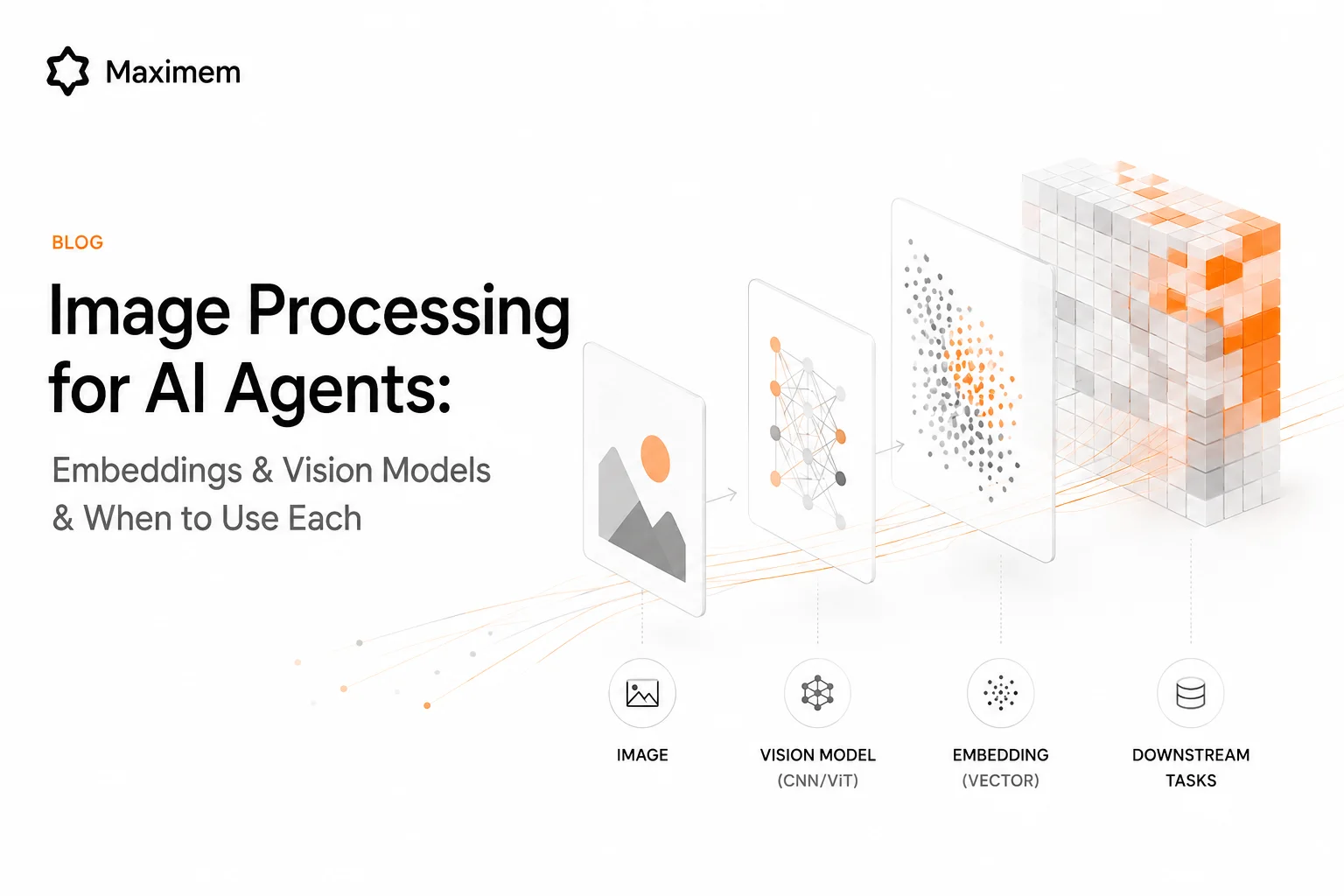
10,000 product photos. Your agent needs to work with them. Send them all through a vision model and your budget evaporates. Use embeddings and you lose the reasoning you need.
Most teams pick one. The teams that ship production systems use both.
Vision Models: Analysis and Reasoning
You send the image directly to Claude vision, GPT-4V, Gemini, or whichever multimodal model you are using. The model sees the image and reasons about it in language.
Use this when you need the agent to understand, describe, analyze, or extract specific information. "What does this screenshot show?" , "Extract the table from this receipt." "Is this product photo compliant with our brand guidelines?" This is analysis. The vision model walks through what it observes, layer by layer, and returns structured output.
Full visual understanding is the advantage. The model captures context, layout, color, spatial relationships, text within the image. It does not just say "this is a photo." It explains what is happening and why. Claude vision costs $3 per million input tokens and $15 per million output tokens, with images counted as tokens. GPT-4V and GPT-5.1 include vision natively. Gemini is multimodal with a context window large enough for multiple images at once.
Cost is the disadvantage. Per-image expense. Scale becomes a problem fast. Run 10,000 images through vision models and your budget vaporizes.
Embeddings: Search and Retrieval
You convert images into vector representations using embedding models. The standard picks for general-purpose work are OpenAI CLIP and SigLIP 2. They create a shared text-image vector space, which means you can search text against images and images against images in the same database. EVA-CLIP is another solid option. BLIP-2 works well if you need both captioning and embeddings. Cohere Embed v3 is the commercial API option if you would rather not host the model yourself.
Store those vectors in a vector database: Pinecone, Qdrant, Weaviate, or Milvus. All support image embeddings natively and let you store image and text embeddings in the same index. Now you can search by similarity. "Find the 5 most similar product images to this one." The database returns matches in milliseconds.
Use embeddings when you are searching, filtering, or matching across a large collection. Your agent is not analyzing one image. It is finding the right images from hundreds or thousands at once.
Speed. Scale. Cost efficiency for bulk operations. The tradeoff is that embeddings lose fine-grained visual detail. They cannot reason about what is in an image. They can only say "this is similar to that."

The Hybrid Approach
Production systems that work well use both approaches together.
Narrow with embeddings first. You have 10,000 product photos in your catalog. Vector search retrieves the top 5 most similar to what your customer described. The operation takes about 40 milliseconds.
Reason with vision second. Send those 5 images to a vision model for detailed analysis. "Which of these matches the customer's actual description?" The vision model is not processing thousands. It is reasoning about a handful. The model sees nuance because it is focused.
Cost efficiency comes from paying for vision model calls on a small subset. Speed comes from vector search in milliseconds. Quality emerges because reasoning happens where it matters most. A team at an e-commerce platform combined this pattern with their product catalog and reduced image analysis costs by 87 percent in three months. Same analyses they had always run, just smarter routing through the system.
The breakeven lands somewhere around 100 to 200 images. Below that, process everything through a vision model. The API costs are lower. Latency is acceptable. Above that threshold, embeddings for search first becomes the obvious choice.
This pattern also enables multimodal RAG. Embed images and text in the same vector space, search across both modalities, and send relevant results to the vision model for reasoning. LlamaIndex and LangChain support this natively. A customer asks "find me shoes that look like this" and says "I want something under $100 and in blue." You search both the image embeddings and text embeddings in the same database and get back results that match both constraints.
Tools, Models, and MCP Servers
For preprocessing images before you embed or analyze them, ImageSorcery is the one to know. Open-source, runs locally, uses OpenCV and Ultralytics under the hood. Object detection, OCR, resizing, content-based search. Useful for cleaning up images before they go to embedding models or vision models. OpenCV MCP Server exists if you need custom image pipelines built on pure OpenCV.
Vector databases have matured. Pinecone, Qdrant, Weaviate, and Milvus all support image embeddings natively. You can store image and text embeddings in the same index and search across both modalities. This is what enables the multimodal RAG workflows.
Vision model pricing varies. Claude vision: $3 per million input tokens and $15 per million output tokens, images counted as tokens. GPT-4V and GPT-5.1 have vision built in and price per token like any other model call. Gemini is multimodal with a context window large enough for multiple images at once, which changes the equation if you are analyzing sets of related images together.
Decision Guide
Analyze or understand a single image. Send directly to a vision model. Lower cost than building infrastructure. Acceptable latency. Reasoning is the goal.
Search across 100+ images. Embed and use vector search. Filtering happens cheaply at scale. Then optionally send the top candidates to a vision model for reasoning.
Search, then analyze. Hybrid approach. Embeddings narrow the field fast. Vision model does the detailed reasoning on a small subset.
Search text and images together. Multimodal RAG. Put text and image embeddings in the same vector space. Search both simultaneously.
Preprocess images first. ImageSorcery MCP or OpenCV MCP. Clean, detect objects, extract text, then either embed or send to a vision model.
Do not vectorize what you can reason about directly. Do not run expensive vision models on what you can search with embeddings. The hybrid approach wins for most production systems because it respects both the strengths and constraints of each tool.
Start with one question: Am I searching or reasoning? Then the right architecture follows.
Get started: Explore multimodal RAG patterns | Read our vision agent guide
Read the docs: Synap Docs | LangChain RAG documentation