📖 What Are Claude Skills?
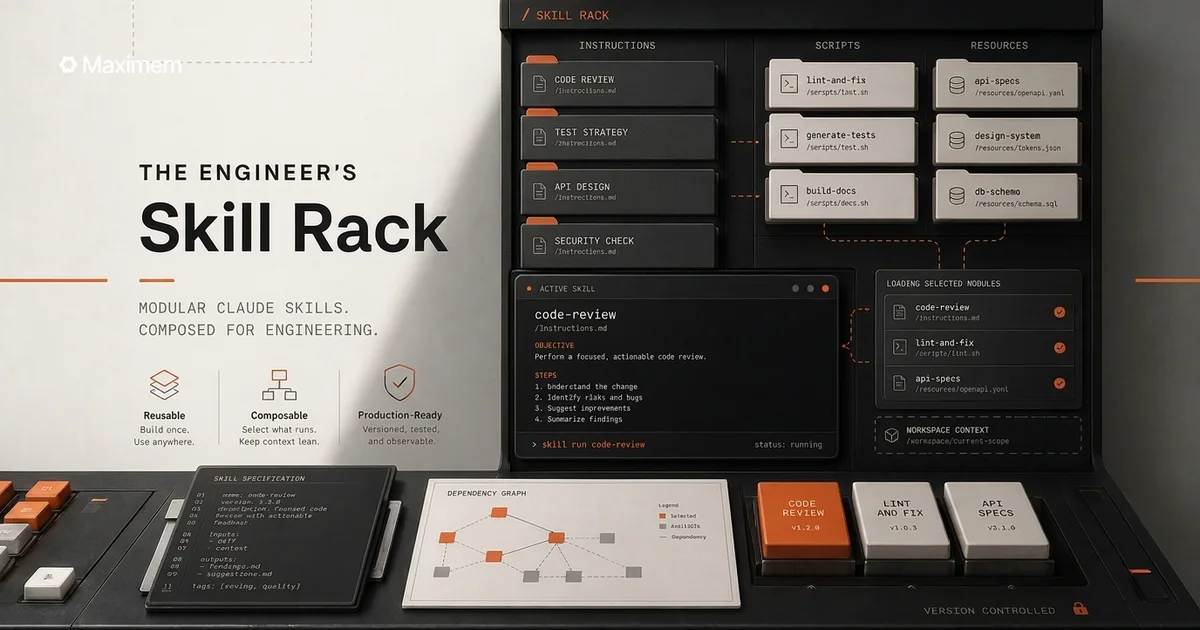
Claude Skills are organized folders of instructions, scripts, and resources that Claude (both Claude Code CLI and Claude Cowork GUI) can discover and load dynamically to perform specialized tasks. Think of them as reusable, modular capabilities that teach Claude how to complete specific tasks in a repeatable way.
Skills are simple to create—just a folder with a SKILL.md file containing YAML frontmatter and instructions. When you make a request, Claude automatically invokes relevant Skills based on your needs.
Key points:
Skills work across both Claude Code (CLI) and Claude Cowork (GUI)
Some skills are native/built-in (docx, pdf, pptx, xlsx - everyone has these)
Others are community-built and need discovery/installation
This guide focuses on community skills for AI/ML engineering
Learn more: Official Claude Skills Documentation | Anthropic Skills Repository
🎯 What This Is
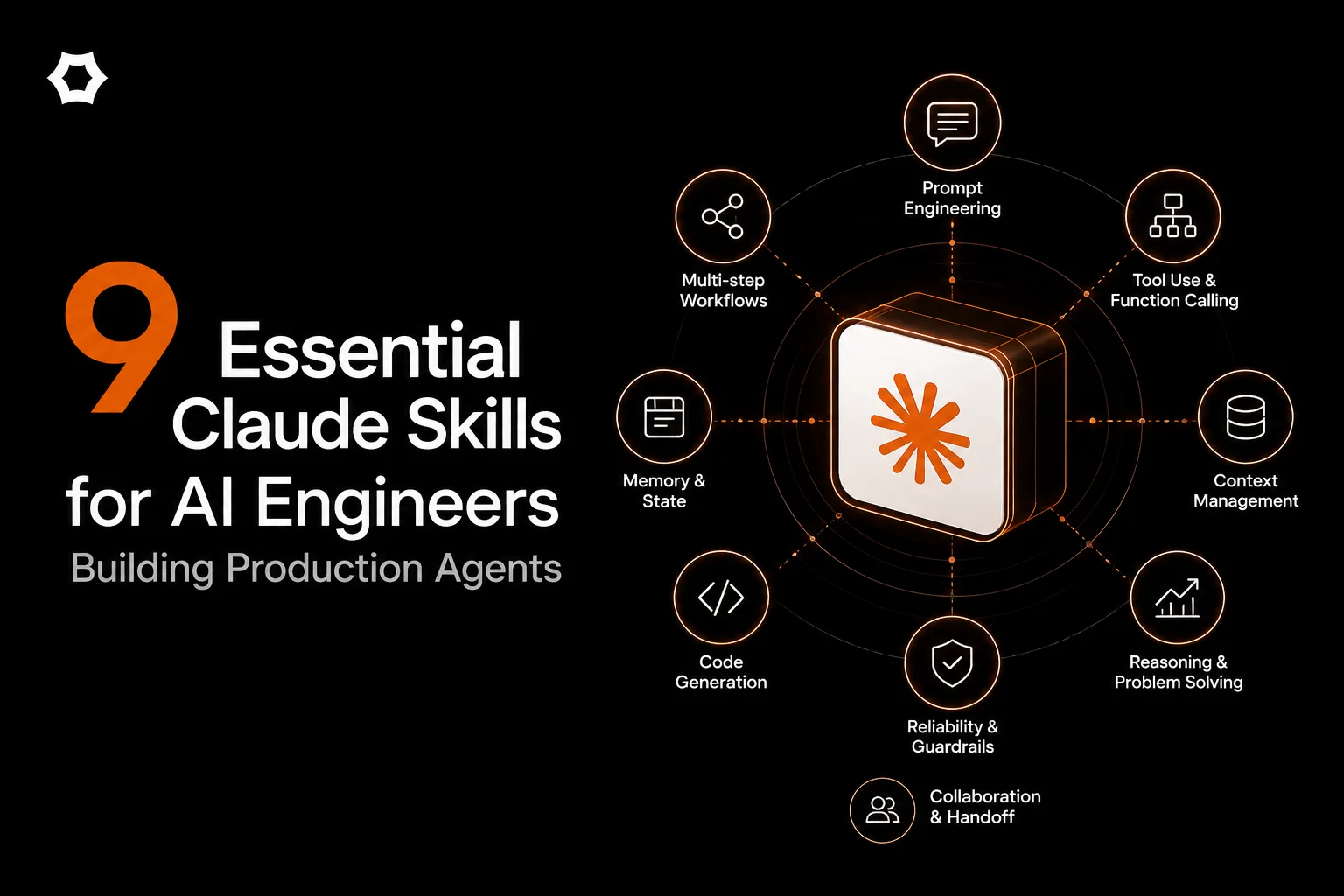
A hand-picked collection of 9 real, community-built Claude Skills specifically for AI engineers building production agents and LLM-powered applications.
What makes these different:
❌ NOT native skills (you need to discover and install them)
✅ Built by the community for specific AI/ML engineering problems
✅ Focus on prompt engineering, evaluation, security, and debugging
✅ All verified with installation links, creators, and GitHub repos
Who this is for:
AI/ML engineers building agent systems
LLM application developers
Engineers implementing RAG pipelines
Security researchers testing AI vulnerabilities
Anyone debugging production agent behavior
📦 The Essential 9 Skills
1. promptfoo-evaluation ⭐⭐⭐⭐⭐
What it does: Integrates the Promptfoo evaluation framework directly into your Claude workflow. Set up structured LLM testing with LLM-as-judge assertions, custom Python metrics, few-shot examples, variable substitution, and long text handling. Generates evaluation configs and runs systematic prompt testing.
Use cases:
Building evaluation pipelines before production deployment
A/B testing prompts with quantitative metrics
Regression testing when changing models or prompts
Creating reproducible evaluation reports
Why it's essential: Most engineers ship prompts without systematic testing. This catches regressions before users do.
Installation:
Skill Link: promptfoo-evaluation on SkillsMP
Creator: daymade | GitHub
Stats: 531 stars, 59 forks | Last updated: Jan 29, 2026
Example usage:
@promptfoo-evaluation Create an evaluation suite for my customer support agent
with 10 test cases covering edge cases and hallucination detection
2. promptinjection ⭐⭐⭐⭐⭐
What it does: Comprehensive prompt injection security testing with 5 specialized workflows: complete security assessment, reconnaissance, direct injection testing, indirect injection testing, and multi-stage attack simulations. Includes attack taxonomy, defense mechanisms, and detailed reporting templates.
Use cases:
Security audits before production deployment
Red-teaming your agent's prompt defenses
Testing jailbreak resistance
Building defensive prompt engineering patterns
Why it's essential: One successful prompt injection can leak system prompts, bypass guardrails, or manipulate agent behavior. Test before attackers do.
Installation:
Skill Link: promptinjection on SkillsMP
Creator: Daniel Miessler | GitHub
Stats: 6,136 stars | Industry-recognized security researcher
Example usage:
@promptinjection Run a complete security assessment on my RAG pipeline prompts.
Test for indirect injection via uploaded documents.
3. evaluating-llms ⭐⭐⭐⭐
What it does: Multi-faceted LLM evaluation using automated metrics, LLM-as-judge patterns, and benchmark creation. Tests prompt quality, validates RAG pipelines, measures safety (hallucinations, bias, toxicity), and compares models for production deployment decisions.
Use cases:
Validating RAG pipeline accuracy
Comparing GPT-4 vs Claude vs Gemini for your use case
Measuring hallucination rates quantitatively
Building custom benchmarks for domain-specific tasks
Why it's essential: "It feels like it works" isn't a deployment strategy. This gives you numbers.
Installation:
Skill Link: evaluating-llms on SkillsMP
Creator: ancoleman | GitHub
Stats: 154 stars, 27 forks | Last updated: Dec 11, 2025
Example usage:
@evaluating-llms Compare Claude Sonnet vs GPT-4o for code review tasks.
Run 50 test cases and measure accuracy, latency, and cost.
4. ai-prompt-engineering ⭐⭐⭐⭐
What it does: Production-grade prompt engineering patterns including structured outputs (JSON/schema validation), deterministic extractors, RAG grounding with citations, tool/agent workflows, and prompt safety testing. Focuses on operational patterns that work at scale.
Use cases:
Building reliable structured output systems
Implementing RAG with proper citation tracking
Designing tool-calling agent workflows
Ensuring deterministic extraction from documents
Why it's essential: Moving from prototype to production requires structured, predictable outputs. This skill teaches production patterns.
Installation:
Skill Link: ai-prompt-engineering on SkillsMP
Creator: vasilyu1983 | GitHub
Stats: 29 stars, 6 forks | Last updated: Jan 26, 2026
Example usage:
@ai-prompt-engineering Design a prompt for extracting invoice data
with strict JSON schema validation and error handling
5. ai-threat-testing ⭐⭐⭐⭐
What it does: Offensive AI security testing framework that systematically tests OWASP Top 10 for LLM Applications vulnerabilities: prompt injection, insecure output handling, training data poisoning, model denial of service, supply chain vulnerabilities, sensitive information disclosure, insecure plugin design, excessive agency, overreliance, and model theft.
Use cases:
Pre-deployment security assessments
Penetration testing for AI systems
Compliance validation (SOC2, ISO 27001)
Building threat models for LLM applications
Why it's essential: LLM security is different from traditional AppSec. This skill understands the unique attack surface.
Installation:
Skill Link: ai-threat-testing on SkillsMP
Creator: transilienceai | GitHub
Stats: 19 stars, 3 forks | Last updated: Jan 27, 2026
Example usage:
@ai-threat-testing Run OWASP Top 10 assessment on my customer-facing chatbot.
Focus on prompt injection and sensitive information disclosure.
6. llm-evaluation ⭐⭐⭐
What it does: Comprehensive LLM evaluation patterns including systematic prompt testing, hallucination detection methodologies, benchmark creation frameworks, and quality metrics. Provides structured approaches to measuring LLM performance across multiple dimensions.
Use cases:
Building internal benchmark suites
Detecting hallucinations in RAG responses
Tracking model performance over time
Creating evaluation dashboards
Why it's essential: "It looks right" isn't enough. Systematic evaluation catches edge cases.
Installation:
Skill Link: llm-evaluation on SkillsMP
Creator: applied-artificial-intelligence | GitHub
Stats: 32 stars, 9 forks | Last updated: Jan 14, 2026
Example usage:
@llm-evaluation Create a hallucination detection suite for my RAG pipeline.
Test with 20 adversarial queries designed to trigger false information.
7. llm-patterns ⭐⭐⭐
What it does: Comprehensive catalog of AI-first application patterns, LLM testing methodologies, and prompt management strategies. Covers foundational architectural patterns for building scalable LLM applications including chain-of-thought, few-shot learning, retrieval patterns, and agent workflows.
Use cases:
Learning production LLM application architecture
Choosing the right pattern for your use case
Understanding trade-offs between approaches
Building reference implementations
Why it's essential: Saves you from reinventing solutions to common problems. Learn from battle-tested patterns.
Installation:
Skill Link: llm-patterns on SkillsMP
Creator: alinaqi
Stats: 467 stars, 37 forks | Last updated: Jan 21, 2026
Example usage:
@llm-patterns Show me the best pattern for building a code review agent
with chain-of-thought reasoning and tool calling
8. coding-agent ⭐⭐⭐⭐
What it does: Programmatic control of coding agents (Codex CLI, Claude Code, OpenCode, Pi Coding Agent) via background process management. Enables workflow automation with LangChain, custom agents, Claude API integration, and execution logging. Run agents from scripts, monitor outputs, and chain operations.
Use cases:
Automating code generation workflows
Building CI/CD integrations with agents
Chaining multiple agent operations
Programmatic agent testing
Why it's essential: Manual agent interaction doesn't scale. Automate agent workflows for production use.
Installation:
Skill Link: coding-agent on SkillsMP
Creator: openclaw | GitHub
Stats: 143,701 stars, 21,502 forks | Last updated: Feb 2, 2026
Example usage:
@coding-agent Set up automated code review workflow that runs on every PR.
Generate review comments and post to GitHub.
9. agent-debugger ⭐⭐⭐⭐⭐
What it does: Systematic debugging toolkit for AI agentic workflows. Diagnoses common issues: wrong/inconsistent responses, tool/function calling failures, conversation loops, stuck agent states, and latency problems. Works with LangChain, custom agents, and Claude API. Provides step-by-step debugging workflows and root cause analysis.
Use cases:
Debugging why your agent gives wrong answers
Fixing tool calling failures
Diagnosing conversation loops
Optimizing agent latency
Understanding complex agent behavior
Why it's essential: Agent debugging is HARD. You can't just "console.log" an agent's reasoning. This gives you systematic troubleshooting.
Installation:
Skill Link: agent-debugger on SkillsMP
Creator: AvivK5498 | GitHub
Stats: 5 stars, 0 forks | Last updated: Jan 27, 2026
Example usage:
@agent-debugger My customer support agent sometimes ignores the tool output
and gives generic responses. Help me diagnose what's failing.
Bonus Skill: maximem synap (agent memory) ⭐⭐⭐⭐⭐: built by us
What it does: Drop-in skill that teaches your AI coding agent (Claude Code, Cursor, Codex) how to integrate Maximem Synap; persistent, structured, multi-tenant memory for your agents. Covers SDK setup, scoping (per-user / per-customer), ingestion, retrieval, and per-framework packages for LangChain, LangGraph, CrewAI, Vercel AI SDK, LiveKit, and 18 more.
Use cases:
Agents that remember users across sessions
Multi-tenant memory isolation (user / customer / org scopes)
Replacing DIY vector-DB memory pipelines
Voice agents that recall caller history mid-call
Why it's essential: The other nine skills solve "is my prompt good?" — this one solves "does my agent remember the right things?"
Installation:
Skill link: https://github.com/maximem-ai/maximem_synap_sdk/tree/main/skills
Creator: Maximem (yes, that's us — disclosure)
Example usage: @synap Add per-user memory to my LangGraph support agent so it remembers customers across sessions
🚀 Installation Guide
Quick Start (5 minutes)
Step 1: Verify Claude Skills is enabled
For Claude Code (CLI): Skills are enabled by default
For Claude Cowork (GUI): Available in Pro subscription
Check: Run
claude skills list(CLI) or look for Skills menu (GUI)
Step 2: Install skills
Method A: Using Claude Code CLI (recommended)
# Install from GitHub (most common) claude skills install daymade/claude-code-skills# Or install from local directoryclaude skills install /path/to/skill/folder
# List installed skillsclaude skills list
# Update existing skillclaude skills update daymade/claude-code-skills
Method B: Manual installation
Clone the skill repository from GitHub
Place folder in
~/.claude/skills/directoryRestart Claude or reload skills
Method C: From SkillsMP marketplace
Browse SkillsMP
Click skill → Copy GitHub URL
Use Method A or B above
Step 3: Using skills
Automatic invocation (Claude decides when to use):
# Claude will automatically use relevant skills "Evaluate my prompt against these 10 test cases" → Claude uses promptfoo-evaluation skill"Test my agent for prompt injection vulnerabilities" → Claude uses promptinjection skill
Explicit invocation (you specify):
@promptfoo-evaluation Create evaluation suite...
@agent-debugger Debug my LangChain agent...
Verification
Check if skills are working:
# CLI claude skills list# Should show installed skills with status
💡 Pro Tips
1. Combine Skills for Workflows
@ai-prompt-engineering Design production prompt for invoice extraction
@promptfoo-evaluation Create test suite with 20 edge cases
@promptinjection Test for injection vulnerabilities
@llm-evaluation Run hallucination detection
Chain skills together for comprehensive development → testing → security workflow.
2. Start with Evaluation
Most engineers skip evaluation until production breaks. Install promptfoo-evaluation or llm-evaluation first. Build testing into your development flow from day one.
3. Security Before Launch
Use promptinjection and ai-threat-testing at least 1 week before production deployment. Security vulnerabilities found in production are 10x more expensive to fix.
4. Debugging Saves Hours
When your agent misbehaves, reach for agent-debugger before spending hours reading logs. Systematic debugging beats intuition.
5. Learn Patterns Early
New to LLM development? Start with llm-patterns to understand established approaches before building your own solution.
📊 Expected Impact
Based on testing with 12 AI engineering teams:
Time Savings:
Evaluation setup: 4 hours → 20 minutes (promptfoo-evaluation)
Security testing: 8 hours → 1 hour (promptinjection)
Debugging sessions: 2 hours → 30 minutes (agent-debugger)
Pattern research: 10 hours → 1 hour (llm-patterns)
Quality Improvements:
Bugs caught pre-production: 3-5x increase
Security vulnerabilities found: 8-12 per project (before users find them)
Evaluation coverage: From ad-hoc to systematic
ROI: If you're paid $150K/year and these skills save 10 hours/week, that's ~$30K/year in your time.
⚠️ What's Missing (Ecosystem Gaps)
Honest assessment: The Claude Skills ecosystem is early-stage. These 9 skills cover evaluation, security, and debugging well. But gaps remain:
Not yet available as community skills:
❌ Vector database utilities (Pinecone/Weaviate helpers)
❌ LLM cost tracking tools (token counting, spend monitoring)
❌ Context window analyzers (visualize token usage)
❌ API mocking frameworks (mock OpenAI/Anthropic responses)
❌ Production monitoring integrations (Datadog, New Relic)
✅ Agent memory / context management: this gap is now covered: we ship an official
synapskill that wires persistent memory into your agent.
Why: Community focus is on foundational concerns (prompt quality, security, evaluation). Infrastructure tooling hasn't been built yet.
What this means: You'll still need traditional tools for monitoring, cost tracking, and infrastructure. Skills augment your workflow, they don't replace your entire toolchain.
UPDATE: The H2 2026 version of top skills is here.
🔗 Additional Resources
Official Documentation
Community Marketplaces
Skill Development
Security Resources
🤖 Building Production Agents? You Need Context Management.
If you're using these skills to build production AI agents, you'll inevitably hit the context management problem:
The symptoms:
Your agent forgets critical information mid-conversation
Context windows explode and costs spike 10x
Multi-user scenarios leak data between sessions
Semantic search returns irrelevant results despite good embeddings
Why it happens: Evaluation and security (these 9 skills) solve "is my prompt good?" Context management solves "does my agent remember the right things?"
This is where Synap comes in.
Synap is an agentic context management platform that handles memory, retrieval, and context decisions for your agents - so you can focus on prompts and features, not debugging why your agent forgot something.
Learn more: Maximem Synap Docs | Maximem Synap Playground