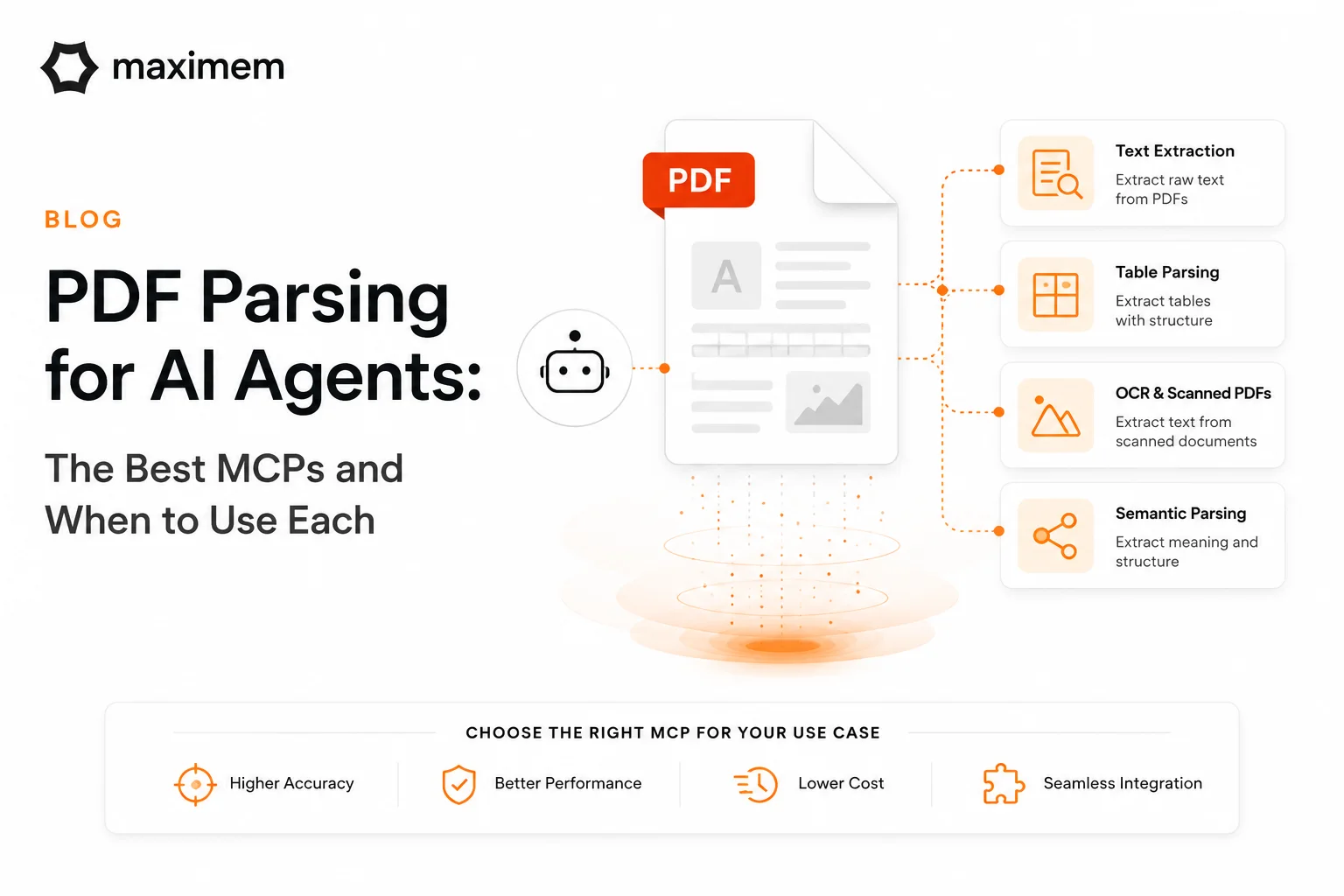
You are building an agent - a contract analyzer, a financial report summarizer or a support bot that reads uploaded documents. The requirement is simple: give it PDF access. The reality? Not so simple.
Giving an agent access to PDF content sounds like one step. It is actually four: Parse the PDF (extract text and structure), chunk the content into meaningful segments, embed the chunks as vectors and retrieve the right chunks at query time. This article covers the first step: parsing. The critical one. Because here's the thing: get parsing wrong and everything downstream suffers. Your chunks are messy. Your embeddings don't capture meaning. Your retrieval returns irrelevant pages. Get it right and the entire pipeline works. I have seen teams waste weeks on retrieval systems when the real problem was a PDF parsing.
Here's what actually works for parsing in 2026.
MCP Servers: Your Native Options
If you're building with Claude or another AI system that supports MCPs, you have four real contenders. Let me walk through each one because they solve different problems. (New to MCPs? Here's a guide on [how MCP servers work](/blog/mcp-servers-explained).)
pymupdf4llm-mcp wraps PyMuPDF and outputs markdown optimized for language models. It's fast. The markdown formatting is genuinely useful because LLMs work better with structured text. When you need clean text extraction from PDFs that are mostly text-based (annual reports, policy documents, research papers), this is the default choice. The limitation: it struggles with complex table structures. If your PDF is a maze of multi-column tables? You'll get confused output.
SylphxAI PDF Reader MCP is production-ready and built for scale. It does parallel processing. We're talking 5 to 10 times faster on large documents compared to sequential approaches. The test coverage is 94 percent, which matters if you care about reliability. The trade-off: it's the newer player in this space. Smaller community. Fewer battle-tested integrations. But if you're processing hundreds of documents daily? The speed difference is real.
AWS Labs Document Loader MCP handles multiple formats. PDF, Word, Excel, PowerPoint, images. One MCP for everything. This appeals to teams already deep in AWS who want a single integration point rather than juggling tools. The downside is the dependency chain. It's heavier. You inherit AWS SDK overhead even if you only need PDF parsing.
Trafflux PDF Reader MCP uses PyPDF2 under the hood and deploys as a Docker container. It standardizes output as JSON. If your deployment pipeline is Docker-based and you value standardized interfaces, this works. The reality though: PyPDF2 is less capable than PyMuPDF on complex layouts. It's the simpler option, which sometimes means less functionality.
When You Can't Use MCPs
Not everyone is on the MCP train yet. Some teams call APIs directly. Some need specialized capabilities that MCPs haven't caught up to. That's where the other tools live.
LlamaParse (by LlamaIndex) is interesting. It takes six seconds, regardless of document size. You could feed it a 500-page financial statement or a 5-page memo. Same speed. It preserves table structures and multi-column layouts in a way that's genuinely useful. Teams using it on financial documents report 15 percent accuracy improvements on structured data extraction compared to basic parsers. There's a free tier, paid tiers for volume. Best use case: you're prototyping something quickly and you need it to work reliably on your first try.
Unstructured.io is the enterprise play. No-code platform. Strong OCR capabilities. 100 percent accuracy on simple tables. The problem shows up with complexity: 75 percent accuracy on complex table structures. And it's slow. 51 seconds per page. A 100-page document? That's real latency. But if you work in an organization where "ease of integration" and "AWS integration" matter more than milliseconds, this is solid.
Docling is the table extraction specialist. 97.9 percent accuracy on complex tables from sustainability reports, financial documents, and research papers. If your use case is "I need to reliably extract structured data from complex layouts," Docling is the answer. It's not the fastest. It's not the cheapest. It's the most accurate.
The Comparison Table
Here's the practical breakdown:

How to Actually Decide
This is the framework I use when someone asks me which tool to recommend:
You need an MCP server and speed is your constraint? Use SylphxAI PDF Reader.
You need an MCP server and you want clean markdown output? pymupdf4llm-mcp.
You need one MCP that handles PDFs, Word docs, and images? AWS Labs Document Loader.
Your PDFs are financial statements or contracts with complex tables? Docling (even if it's not an MCP).
You're in an enterprise environment where OCR and ease of integration beat raw speed? Unstructured.io.
You're building a prototype and you need something that works on your first attempt? LlamaParse.
What Comes Next
Here's something people miss: parsing is step one. Once you have clean text extracted, you still need to chunk it well. Not just split on character count. Actually preserve semantic boundaries. Then embed it with the right model. Then build retrieval that surfaces the right chunks at query time. Each of these steps deserves its own attention. Each one will make or break your system.
For parsing specifically, the landscape moves fast. The tools I listed today may have new competitors in six months. Vendors iterate constantly. Test on your actual PDFs before committing. What works for clean text PDFs may completely fail on scanned documents with tables. What works on 10-page reports may timeout on 500-page regulatory filings. Your actual document set is what matters.
Get parsing right. Everything else becomes simpler.
Last updated: April 2026
Ready to build agents that actually work with documents? Test these tools with your real PDFs today. Start with the decision framework above, run a quick proof of concept, and measure extraction quality on your actual use case. Need help understanding MCP terminology? Check the AI Glossary for quick reference.