
Install Maximem Vity
Your private memory vault that makes your AI usage personalized, productive, and fast.
Already installed? Open your vault at app.maximem.ai — the Vity dashboard.
Quick setup
Step 1
Get the Extension
Install the Maximem Vity extension from the Chrome Web Store link
Step 2
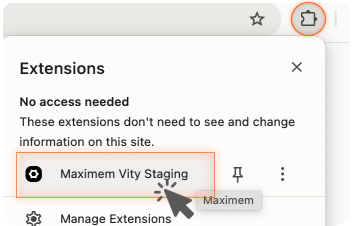
Open Maximem Vity
Click the Extensions icon (puzzle piece) in your browser bar, then click the Maximem Vity icon to open the login and setup window.
Step 3
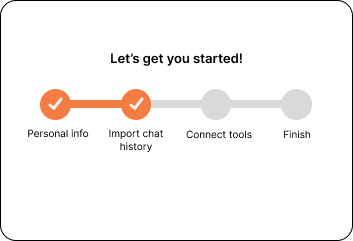
Complete Setup
Follow the simple, guided setup process to link your accounts and preferences.
Step 4

Activate Your Memories
You're all set! Instantly begin using your personalized AI memories across popular platforms like ChatGPT, Gemini, Perplexity and more
How we protect your data

End-to-End Encryption
All your data is encrypted in transit and at rest using industry-leading standards.

Secure Servers
Data is stored in hardened, monitored servers with limited access.

Data Access Controls
Only authorized personnel can access your data; all access is logged.
Need help getting started?
Just reply to your welcome email or reach out at [email protected]. We'll help you set up in minutes.