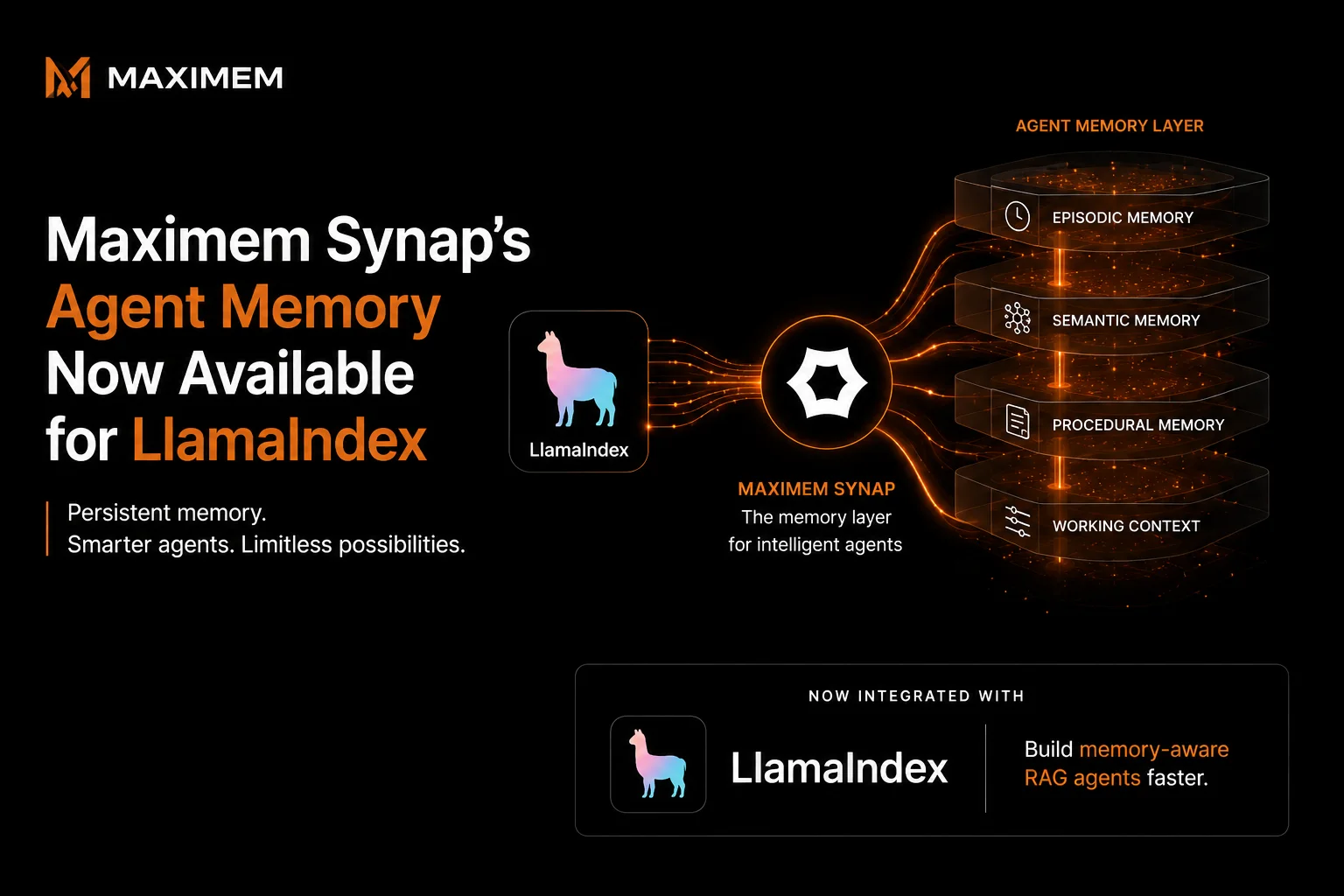
LlamaIndex agents get memory from the Memory class: create it with Memory.from_defaults and a session_id, then pass it to agent.run. It keeps the recent chat history that fits a token limit, and can flush older messages into long-term memory blocks such as FactExtractionMemoryBlock and VectorMemoryBlock. Storage defaults to an in-memory SQLite database, so nothing survives a restart until you pass a database URI. Memory is keyed by the session you name; a scope for one user across many sessions, and a rule for replacing a fact that has changed, are left to you. Maximem Synap plugs in through the maximem-synap-llamaindex package, where SynapChatMemory loads prior context and records new turns scoped by user_id.
Where LlamaIndex Excels
LlamaIndex is built for agents that reason over private data. Document ingestion with parsers for PDF, Word, HTML and custom formats, index structures tuned for different query patterns, retrieval engines with reranking and hybrid search, and query engines that chain several retrievers are all part of the framework. If your agent needs to ground answers in private documents, LlamaIndex handles the data plumbing well.
Its memory module has been rebuilt around a single Memory class that does more than buffer a chat, so it is worth describing exactly.
How LlamaIndex Memory Works Today
LlamaIndex has one current memory class and several older ones. The memory guide documents Memory and states that ChatMemoryBuffer is deprecated.
Short-term memory is the chat history for a session_id, held up to a token_limit that defaults to 30,000 tokens. You pass the object to agent.run(..., memory=memory) and the agent reads and writes it for you.
Long-term memory is a list of memory blocks. When the chat history passes its share of the token budget, the oldest messages are flushed to each block for processing. StaticMemoryBlock holds fixed information, FactExtractionMemoryBlock has an LLM pull facts out of the flushed messages, and VectorMemoryBlock stores batches of messages in a vector database and retrieves them by similarity. You can write your own by subclassing BaseMemoryBlock.
Storage is a SQL chat store. The default is an in-memory SQLite database, which clears on restart, and the docs say you can plug in any remote database by changing the database URI, so a Postgres-backed memory survives restarts and is shared between instances.
That covers one session durably. What the guide does not give you is a scope above the session, a way to isolate one tenant's users from another's, or a rule for what happens when a new fact contradicts a stored one. You can reuse one session_id per user, but then every conversation that user has ever had shares a single history and a single token budget. Those gaps are memory-layer problems.
What Synap Adds
Synap is agentic context management: a hosted memory engine with open-source client packages. It does not replace LlamaIndex's indexes or query engines. It replaces the memory object, and it can sit beside your document retriever.
The package exports three things that plug into LlamaIndex's native interfaces:
SynapChatMemory implements BaseMemory, the type chat engines and agents accept. On get() it fetches the user's relevant memories for the incoming message along with Synap's compacted view of the current conversation, and returns them as chat messages. On put() it records the turn to Synap. Scope is set once: a user_id, a conversation_id, and a customer_id on multi-tenant instances.
SynapRetriever implements BaseRetriever. Fetch user-scoped memories alongside document chunks as standard LlamaIndex NodeWithScore objects. Two modes: fast (vector-only, 50 to 100ms) and accurate (graph traversal + reranking, 200 to 500ms). Accurate is the default, so pass mode="fast" for a retrieval that runs on every turn.
synap_st_chat_message returns an async factory that builds a system ChatMessage from Synap's compacted conversation context plus your own system prompt, for engines where you assemble chat_history by hand.
We built this because RAG agents kept stalling in production. Not from bad retrieval logic. From missing context that lived in a different session last Tuesday. Production testing hit 92% LongMemEval, 93.2% on LoCoMo. Fast mode retrieves in under 100ms.
For why context management is infrastructure and not a feature, read What Is Agentic Context Management?. For build-versus-buy numbers, see The Real Cost of DIY Agent Memory.
What Synap Adds to LlamaIndex
Persistence
LlamaIndex Native. In-memory SQLite by default; durable once you pass a database URI that you run. With Synap. Per-user memory is hosted and survives across sessions and restarts.
Entity Resolution
LlamaIndex Native. Not part of the Memory class; a fact block stores what the LLM extracted. With Synap. "My manager" in one session and "Sarah" in another resolve to one person on the server.
Compaction
LlamaIndex Native. Older messages are flushed to memory blocks, and blocks are truncated by priority when the token limit is exceeded. With Synap. Automatic compaction per conversation, returned to the engine as a ready-made context block.
Retrieval Latency
LlamaIndex Native. Depends on vector store setup. With Synap. 50 to 100ms fast mode. 200 to 500ms accurate mode.
Long-Term Recall
LlamaIndex Native. Depends on the blocks you configure. With Synap. 92% on LongMemEval.
Failure Handling
LlamaIndex Native. Depends on the chat store and vector store you configure. With Synap. A failed memory read is logged and the engine continues without that context. A failed write, and any retriever failure, raises SynapIntegrationError.
User Scoping
LlamaIndex Native. One session_id per memory object. With Synap. user_id, conversation_id and customer_id set on the memory object and the retriever.
What Production Teams Gain
Cross-session continuity. Your user chats on Monday, returns on Wednesday with a new conversation_id. SynapChatMemory pulls the relevant memories for Wednesday's first message, and SynapRetriever surfaces facts from last week next to your document chunks. Each conversation keeps its own history; the user scope is what carries over.
Accuracy that ships. 92% LongMemEval, 93.2% on LoCoMo measures whether agents recall facts across long, multi-turn conversations spanning multiple sessions.
Token efficiency. Synap compacts conversation history on the server, and SynapChatMemory hands the engine that compacted context together with the recent messages.
Latency that does not block. Fast retrieval: 50 to 100ms. Accurate mode with graph traversal and reranking: 200 to 500ms. A failed memory read returns no context and a log line, not a broken engine.
Entity resolution. When a user says "my manager" in one session and "Sarah" in the next, Synap's engine links the two on the server, so your query pipeline does not have to.
Scoping. Memory sits in a hierarchy of client, customer, user and conversation. A B2C instance takes user_id alone and rejects customer_id; a B2B instance requires it.
How to Get Started
Setup
Install the package alongside LlamaIndex. It needs Python 3.11 or later:
pip install maximem-synap-llamaindex llama-index llama-index-llms-openai
Configure your API key. Generate one from the Synap Dashboard.
.env
SYNAP_API_KEY=synap_your_key_here
OPENAI_API_KEY=your-openai-api-key
Initialize the SDK once at application startup:
from maximem_synap import MaximemSynapSDK
sdk = MaximemSynapSDK()
await sdk.initialize()
See SDK Initialization for the full lifecycle and configuration options.
Basic integration The smallest useful integration plugs SynapChatMemory into a LlamaIndex chat engine, with SynapRetriever supplying the user's memories as retrieved context:
import uuidfrom llama_index.core.chat_engine import CondensePlusContextChatEngine from synap_llamaindex import SynapChatMemory, SynapRetriever
conversation_id = str(uuid.uuid4()) # must be a valid UUID
memory = SynapChatMemory( sdk=sdk, conversation_id=conversation_id, user_id="alice", # add customer_id="acme" on a B2B instance )
retriever = SynapRetriever(sdk=sdk, user_id="alice", mode="fast", max_results=8)
chat_engine = CondensePlusContextChatEngine.from_defaults( retriever=retriever, memory=memory, )
response = await chat_engine.achat("What were my action items from last week?") print(response)
SynapChatMemory loads context on get() and writes new turns back to Synap on put(). Failed reads are logged and return no Synap context; failed writes raise SynapIntegrationError so callers know if persistence failed. To answer from your documents and from memory together, combine SynapRetriever with your document retriever in a QueryFusionRetriever and pass that to the engine. The same memory object works with a workflow agent through agent.run(..., memory=memory).
Memory is Infrastructure
LlamaIndex gave developers a standard for RAG, and its Memory class handles a session well, durably once you point it at a database. Scoping that memory to a person across
sessions, resolving who a sentence is about and replacing a fact that has changed is a different problem.
It arrives with the first returning user. Teams either write that logic as custom memory blocks, or they plug in a system
built for the problem, and what it buys is an agent that knows a returning customer without asking again.
This is why memory is infrastructure, not a feature.
Start building LlamaIndex agents that remember across sessions → (https://synap.maximem.ai)
Synap pricing is usage-based. You pay for memory operations: storage, retrieval, compaction. No per-seat or per-framework surcharge. Starter plan:
$49/month. Every new account gets $25 in free credits to test before committing. See full pricing at https://synap.maximem.ai/pricing.
Related Posts
- LangChain Long-Term Memory: Remembering Users Across Sessions
- I Spoke to 500+ Voice AI Builders in India Over 3 Months. Here Is What I Found.
- How to Add Persistent Memory to a LangGraph Agent