Reading
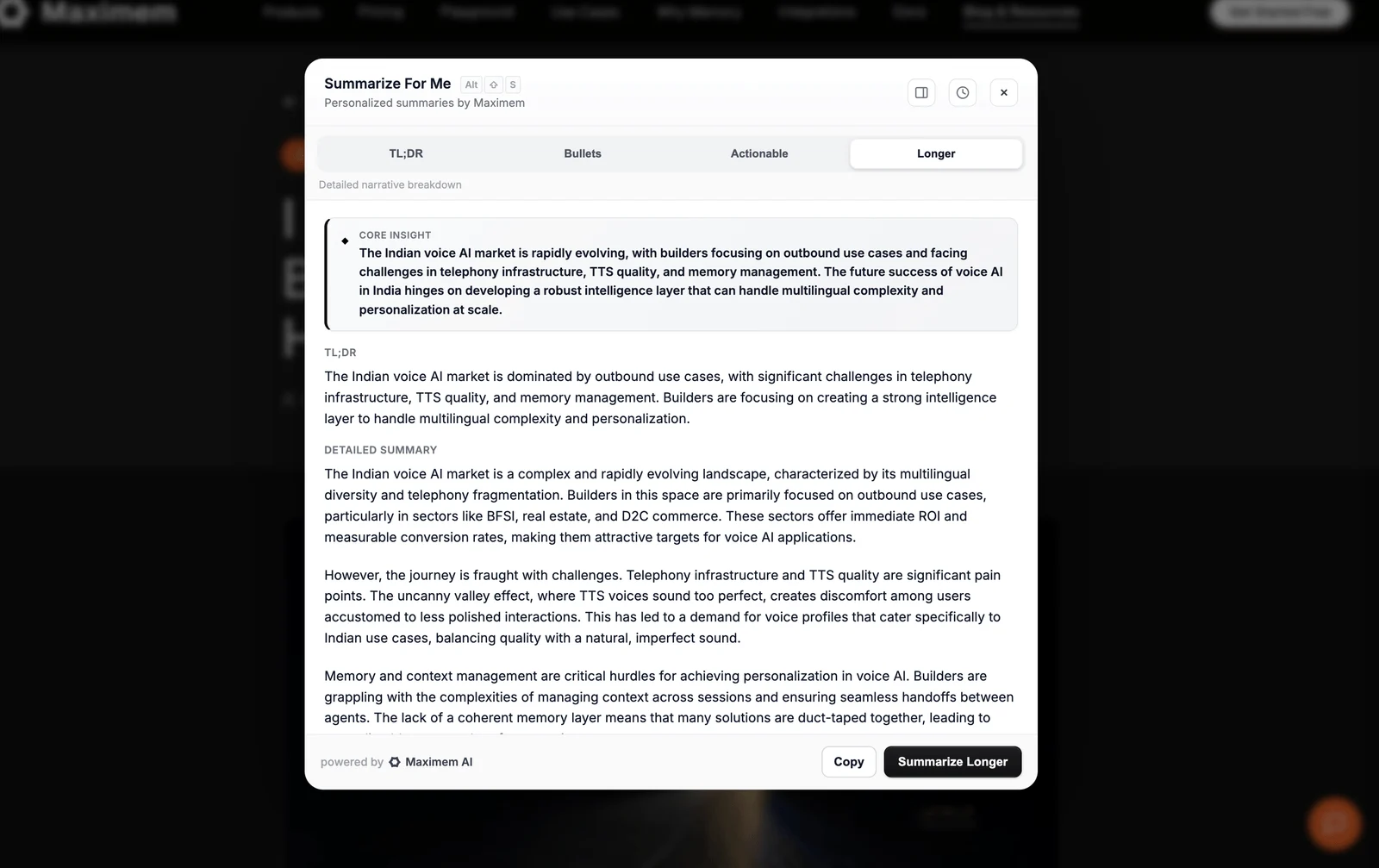
Maximem Summarize For Me
Summaries written for you, checked against the source.
Any article, page, video or document, summarized around why it matters to you. Claims the source does not support are removed before you see it.
Works best with the Maximem Vity Chrome extension. Add to Chrome
Two readers, one report
Picture a long industry report landing in two inboxes on the same morning. One reader runs pricing for a B2B product and wants to know what changes for her next quarter; the other is an engineer who wants the one technical finding buried in section six. A generic summary gives both of them the same five bullets, and neither gets the thing they opened it for.
Summarize For Me starts from the reader. It draws on what Maximem Vity already knows about your role, your work and what you know, so the same report produces a different "Why relevant to you" for each of them, while the facts underneath stay identical and checked.
Why relevant to you
Section 3 shows usage-based plans converting better in mid-market, which bears directly on next quarter's packaging review.
Why relevant to you
The finding that matters for you is in section 6: metering at the gateway, not in each service.
Illustration
Why most AI summaries cost you the time they save
Summaries are everywhere now, and two problems keep them from being trusted. They are generic, written for an imaginary average reader, and they occasionally add details the source never said. Once you have caught a summary inventing something, you go back to the original to check, which defeats the reason you asked for a summary.
Summarize For Me addresses both problems directly. Personalization decides what matters to you; a faithfulness check decides what is true. The two never mix, so your memory can shape the emphasis but never the facts.
How every summary is made
Personalization decides what matters to you; the faithfulness check decides what is true. They run as separate stages, so your memory never touches the facts.
- 1
Read the source
A page, URL, PDF or pasted text
- 2
Personalize
Your profile, memories and knowledge set the emphasis
- 3
Write
TL;DR, Bullets, Actionable or Longer
- 4
Verify every claim
Unsupported claims are removed
- 5
Faithfulness report
Verified and removed claims, shown with the summary
Pick a format
You choose the format before generating, depending on what you need from the piece.
| Format | What you get |
|---|---|
| TL;DR | One tight paragraph with the core idea only. |
| Bullets | The key points as a scannable list. |
| Actionable | What you should actually do with this content, in your specific context. |
| Longer | A full narrative summary with detail. |
- TL;DR
- One tight paragraph with the core idea only.
- Bullets
- The key points as a scannable list.
- Actionable
- What you should actually do with this content, in your specific context.
- Longer
- A full narrative summary with detail.
What makes it yours
Your profile
Your role, expertise and interests.
Your memories
Relevant past experiences and work you have already stored in Vity.
Your knowledge
Facts and context you have accumulated that bear on the content.
An honest fallback
The "Why relevant to you" section comes from these. If none of your context applies, it says so instead of inventing a connection.
How to summarize an article without hallucinations
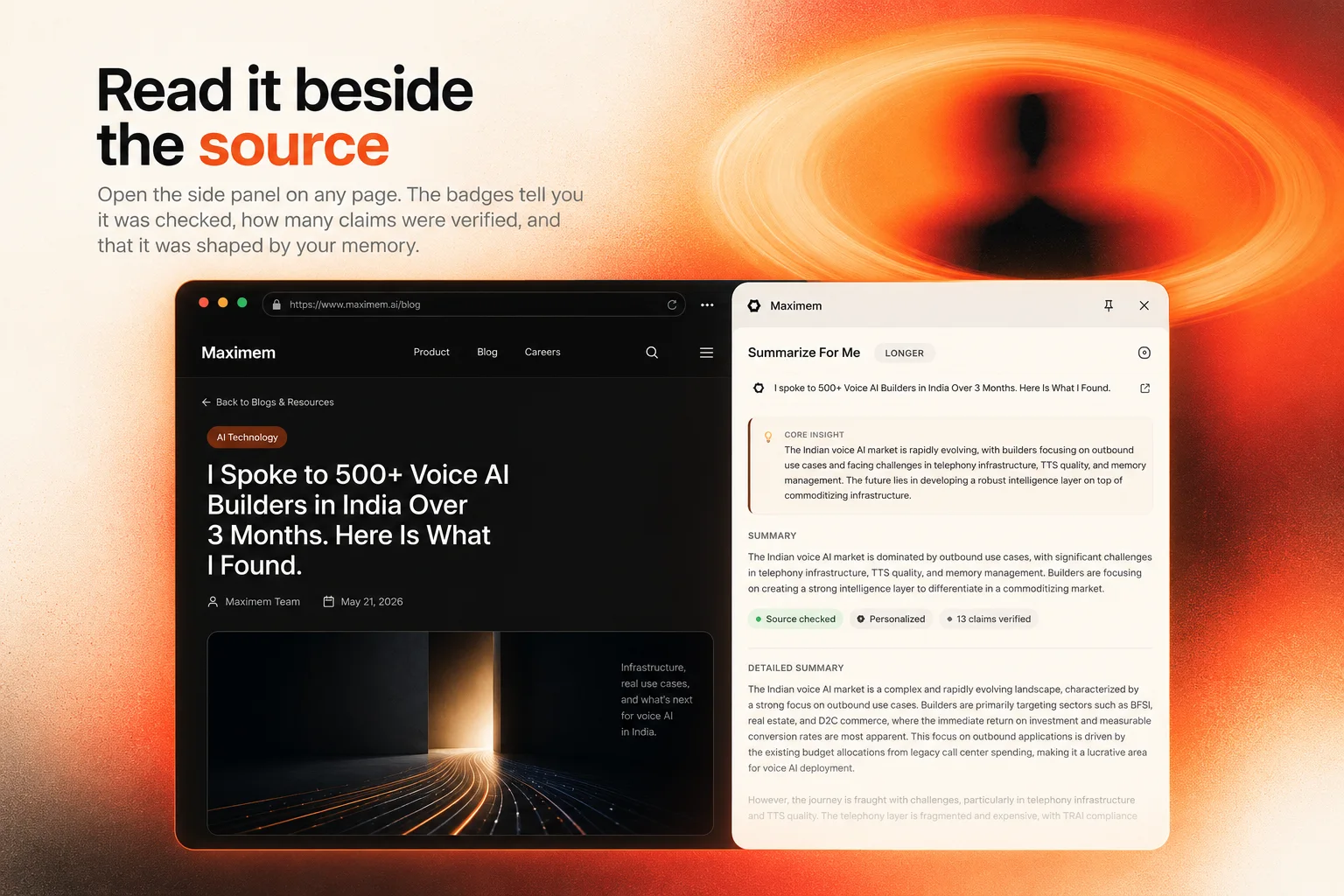
Before you see a summary, Summarize For Me checks it claim by claim against the source and removes any claim the source does not support. Every summary then carries a faithfulness report showing how many claims were verified and how many were removed, so you can judge how far to trust it before you act on it.
That report is the part we would point to if you asked why this summary is different. A summary you can verify at a glance is one you can act on without rereading the original.
11verified
1removed
- Usage-based plans grew fastest in mid-marketverified
- Annual prepay discounts averaged 15 to 20%verified
- Most buyers prefer per-seat pricingremoved: not supported by the source
- Metering at the gateway reduced billing disputesverified
Illustration
A faithfulness report on every summary
Long reports, in sections
For very long articles and documents, Summarize For Me works through the piece progressively, so you get coverage of the whole thing rather than a summary of its first few pages. You can continue through it section by section, and it tracks where you left off so you can pick up later.
Where you use it
Chrome extension
While reading any webpage or article, click the Maximem icon in your browser to open the summarizer panel. It reads the current page, you pick a format, and you hit Generate.
Web app
Open the Summarizer page at app.maximem.ai and paste a URL or drop in any text. Use it for anything you cannot read in the browser directly, such as a PDF or a raw block of text.
Privacy
Only when you ask: The extension reads a page only when you click Generate.
No raw page text kept: The page content goes to Vity's servers to produce the summary, and the raw page text is never stored.
No browsing history: It never reads your browsing history.
Nothing sent on its own: It never sends anything without you starting it.
Read less of everything and more of what matters
Things worth reading keep multiplying, and reading faster has never kept up with them. What does keep up is having every piece arrive already filtered through who you are: what you are working on, what you already know, what you would want to question.
That is what a memory makes possible. The more Maximem Vity knows about your work, the sharper the "Why relevant to you" becomes, and the faithfulness report keeps the whole thing honest as it gets more personal.
Also inside WaitPro
Any WaitPro reading card can open a deeper summary with Summarize For Me, so a read you started while waiting on AI can become one you finish.
Get Maximem Summarize For Me
Free with your Maximem Vity account.
Frequently Asked Questions
Use a summarizer that checks its own output. Summarize For Me verifies every claim against the source before you see the summary, removes the ones the source does not support, and shows a faithfulness report with how many claims were verified and removed.
No. Your profile, memories and knowledge shape why it matters to you and what to act on. The facts come from the source and are checked claim by claim.
Yes. Paste a URL or drop in the text on the Summarizer page at app.maximem.ai, which handles PDFs and raw text that you cannot read in the browser directly.
Any article, webpage, video, document or piece of text. Use the extension for pages you are reading, and the web app for PDFs and pasted text.
The "Why relevant to you" section says so instead of inventing a connection.
Yes. It works through long pieces progressively, section by section, and tracks where you left off so you can continue later.
No. It reads a page only when you click Generate, never reads your browsing history, and never stores the raw page text.